
Overview
Most hotel task management software started life as a housekeeping app and got stretched to cover everything else. Orqaa was built the other way round — from the whole property first, then broken into departments.
That’s why a fixture a housekeeper flags in 214 becomes a maintenance ticket without anyone re-typing it, why a low shampoo count opens a supplies ticket on its own, and why a permit renewal appears on the owner’s dashboard weeks before it turns into a problem. The departments are separate on screen and connected underneath.
Access & Roles
Orqaa has four account types. Departments aren't fixed — you create the ones your property actually runs, and give each person access to one of them or several.

Full access. Creates properties, users, and task lists. Sees every department, every property, and every report.

Runs the property day to day. Creates and deletes tasks, clears Need Help flags, pulls reports, adds staff.

The same operational reach as the GM, scoped to the departments and shifts the owner assigns.

Logs in with the property code and a name. Sees their department's board, updates status, adds notes and voice memos.
Front desk, housekeeping, deep cleaning, maintenance, laundry, supplies, F&B — add or rename them as you go.
One person can hold front desk and laundry at once. Swipe between boards, no second login.
The Journey
Five steps, and the first one is uploading a file you already have sitting on your desk.

Brand standards, SOPs, your AM and PM checklists, maintenance manuals. PDF or Word, either works.
How Upload WorksEvery action item extracted, the duplicates merged, and each one filed under a department with a frequency attached.
See the AICreate users, assign departments and shifts, and generate the property code your staff will log in with.
Roles ExplainedStaff see only their department. Status changes, notes, voice memos, and help requests are all timestamped.
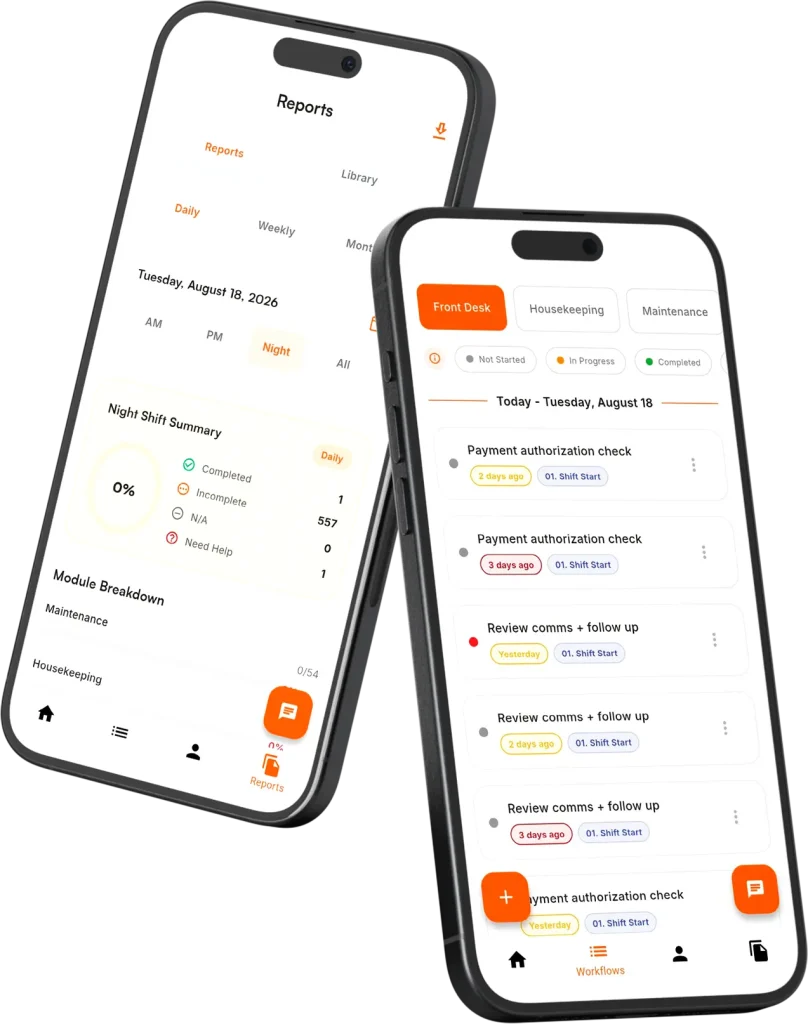
Inside The AppEnd-of-shift summaries arrive by email, text, or push. Pull a PDF for any shift, on demand, at any hour.
See a Sample ReportEach department opens to its own board with its own checklist. These are the workflows that ship pre-loaded — everything is editable.
A task app is easy to build and easy to abandon. These are the specifics that decide whether your staff are still using it in month three, which is the only test that matters.
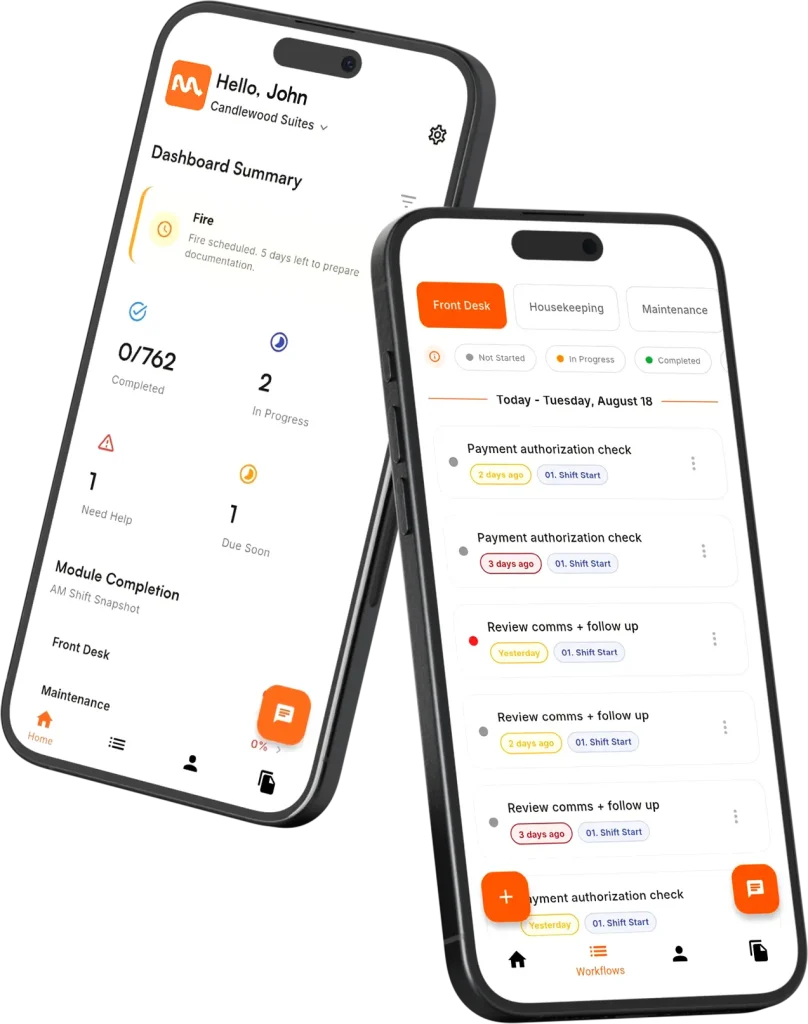
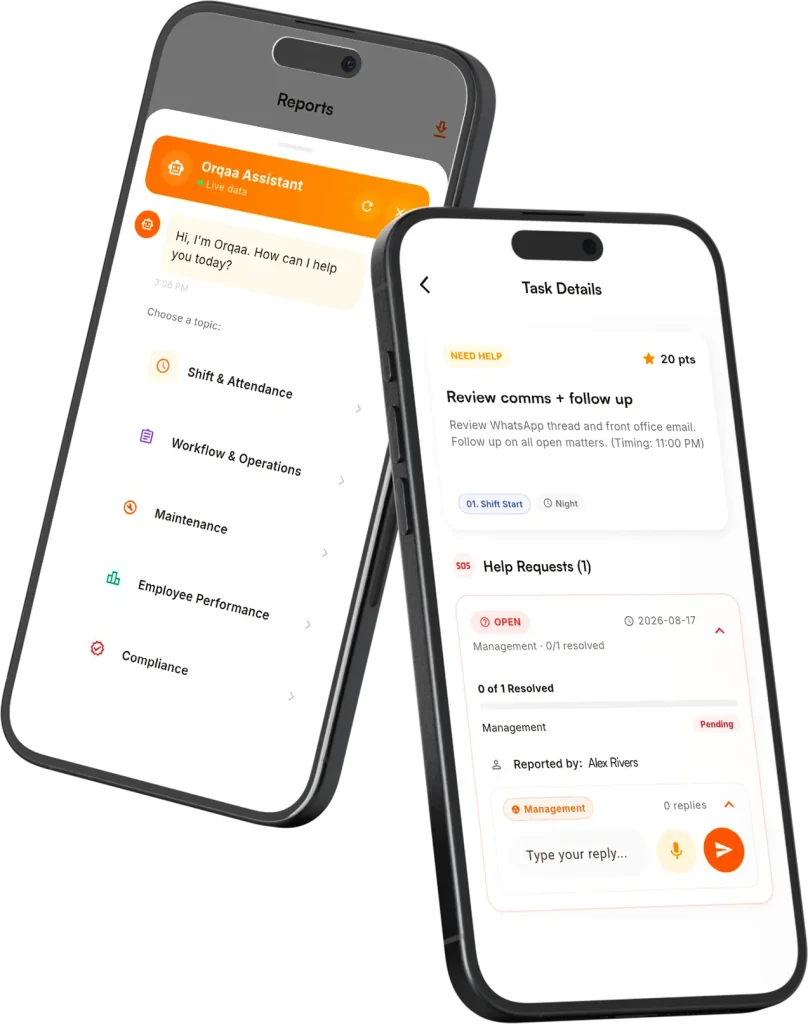
Grey, yellow, green, red. Tap to move a task along. Red means Need Help and locks completion until a manager resolves it, so nothing gets quietly closed out at the end of a shift.
An unfinished task rolls forward and stays visible until it’s done. A filter clean due Monday is still on the board Thursday, with the original date attached.
Marking a task N/A greys it out and notifies the owner. Skipping something is allowed; skipping it invisibly isn’t.
Housekeeping can close a finished room in one action instead of tapping fifteen items. A confirmation step keeps it from becoming a reflex.
Running low on shampoo, towels, or filters? A ticket opens against the supplies department automatically, from whichever board found the problem.
Off by default. Turn it on, set the points per task and the reward — cash, gift card, time off, a meal — and it resets at the start of each month.
Mobile First
Almost nobody who runs your hotel day to day is sitting at a computer. A housekeeper is on the third floor with a cart. A maintenance tech is behind the ice machine. Orqaa is built for a phone held in one hand, with buttons big enough to hit standing up.
Tasks are drag-and-drop, so the board matches the order your team actually works in. Notes can be typed or recorded — hold the button, say what you found in 214, and it saves to the task. Employees see only their department. Managers see everything without having to ask anyone.
Orqaa AI
Two things run on intelligence in Orqaa today. Both are specific enough to describe in a sentence.
Upload a brand standards PDF, an SOP, an inspection sheet, or a vendor manual. Orqaa reads it, pulls out every action item, merges the duplicates, and files each one under a department with a frequency attached. Weeks of setup, finished in about the time it takes to make coffee.
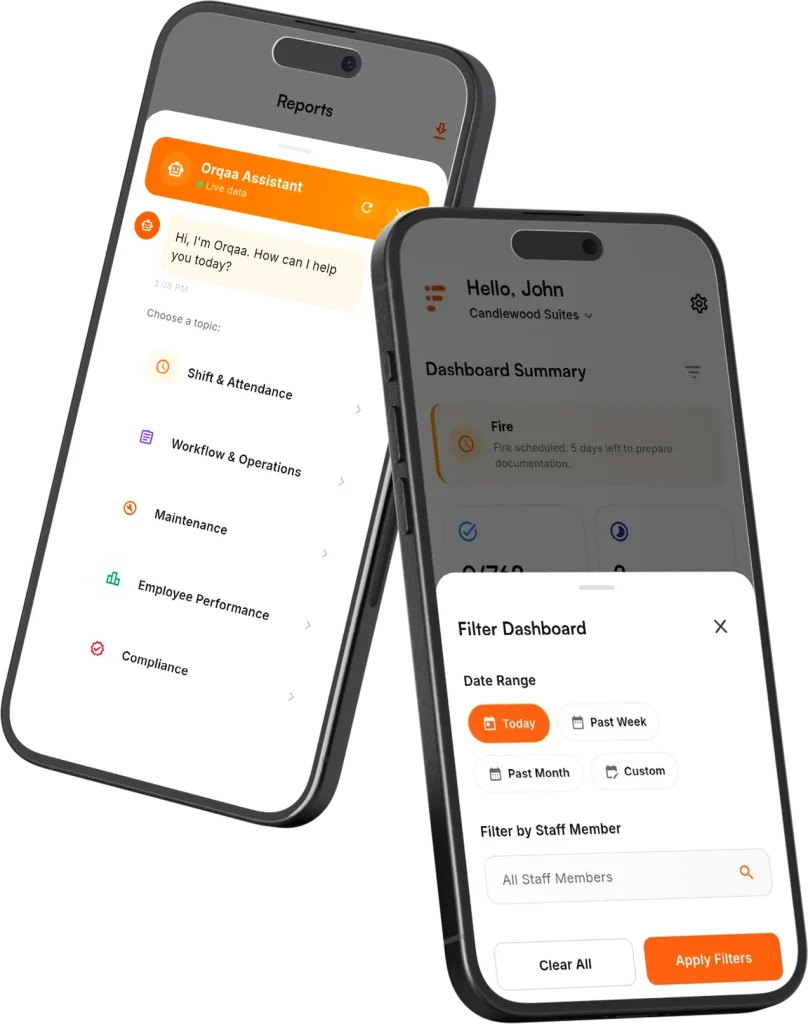
Fifteen operational questions, answered from your live data in one tap. Who's checked in right now. What the last shift left unfinished. Which rooms have had the most maintenance issues this week. Which department has the most unresolved requests. Which compliance deadlines land this month. Which workflows have never once been completed since the property went live.
This is what operational memory looks like in practice. Orqaa doesn’t just store what your hotel knows — it applies it daily, whether or not the person who wrote the SOP is still on shift.
Security & Compliance
Failed inspections usually aren’t a failure of effort. They’re a permit that lapsed in April and a preventive maintenance item nobody scheduled. Orqaa keeps renewal dates, licences, certifications, and brand QA items in a Due Soon view that every role sees at login, on a lead time you set per property.
On access: employees can update status and add notes, and that’s it — they can’t create, edit, or delete a task. Managers act only within the departments the owner assigns them. Owners see everything, per property. Deactivating someone who’s left takes one tap and keeps their history intact.
Get Started
Setup takes less than a day. Your team will notice the difference from the very first shift.

Notes on new features and on running a hotel better. Once a month at most, and easy to get out of.